


Add and remove proposal files
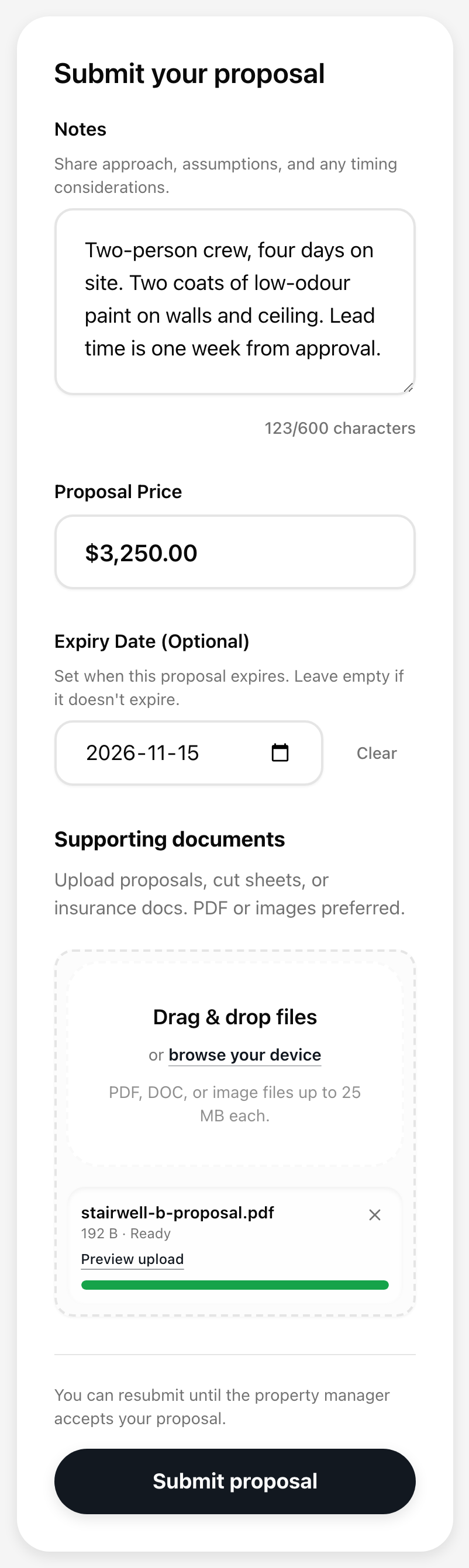
Your proposal needs at least one file. This is where you attach your written quote, photos, cut sheets, or insurance papers. Add a file Open your RFP link from the email. In the Supporting documents...
Last updated
Your proposal needs at least one file. This is where you attach your written quote, photos, cut sheets, or insurance papers.
Add a file
- Open your RFP link from the email.
- In the Supporting documents area, drag a file onto the dashed box, or select the box to browse for a file on your device.
- Wait for the file to finish uploading. Each file uploads as soon as you add it, so you do not need to press Submit first.
What is accepted: PDF, Word documents (.doc and .docx), and images (JPEG, PNG, GIF, and WebP). Each file can be up to 25 MB. The box repeats this: "PDF, DOC, or image files up to 25 MB each."
If a file fails to upload, you see Remove failed uploads before submitting. Remove the failed file from the list, then add it again. You cannot submit while a failed upload is still in the list.
See the files you already sent
Files that are already part of your proposal appear above the form under Submitted Documents, with a count such as "2 documents in your proposal" and the date each was uploaded.
- Select View to open a file in a new tab.
- Select Remove to take a file out of your proposal. A message says "Document removed," and the page refreshes. You do not need to press Submit again for the removal to count.
Remove only shows while your proposal is still open. After the property has accepted or turned down your proposal, the files are locked.
Keep at least one file
A proposal always needs a price and at least one file. If you remove every file, the Submit proposal and Resubmit proposal button stays greyed out until you add a new one.
Files with an expiry date
If you set an Expiry Date on your proposal, your files carry the same date. A file past that date is no longer listed under Submitted Documents.