


Search and filter your invoices
The Invoices tab lists every invoice you have sent. Three tools help you find one. The three tools All Properties : choose one property to see only its invoices. All Statuses : choose one status,...
Last updated
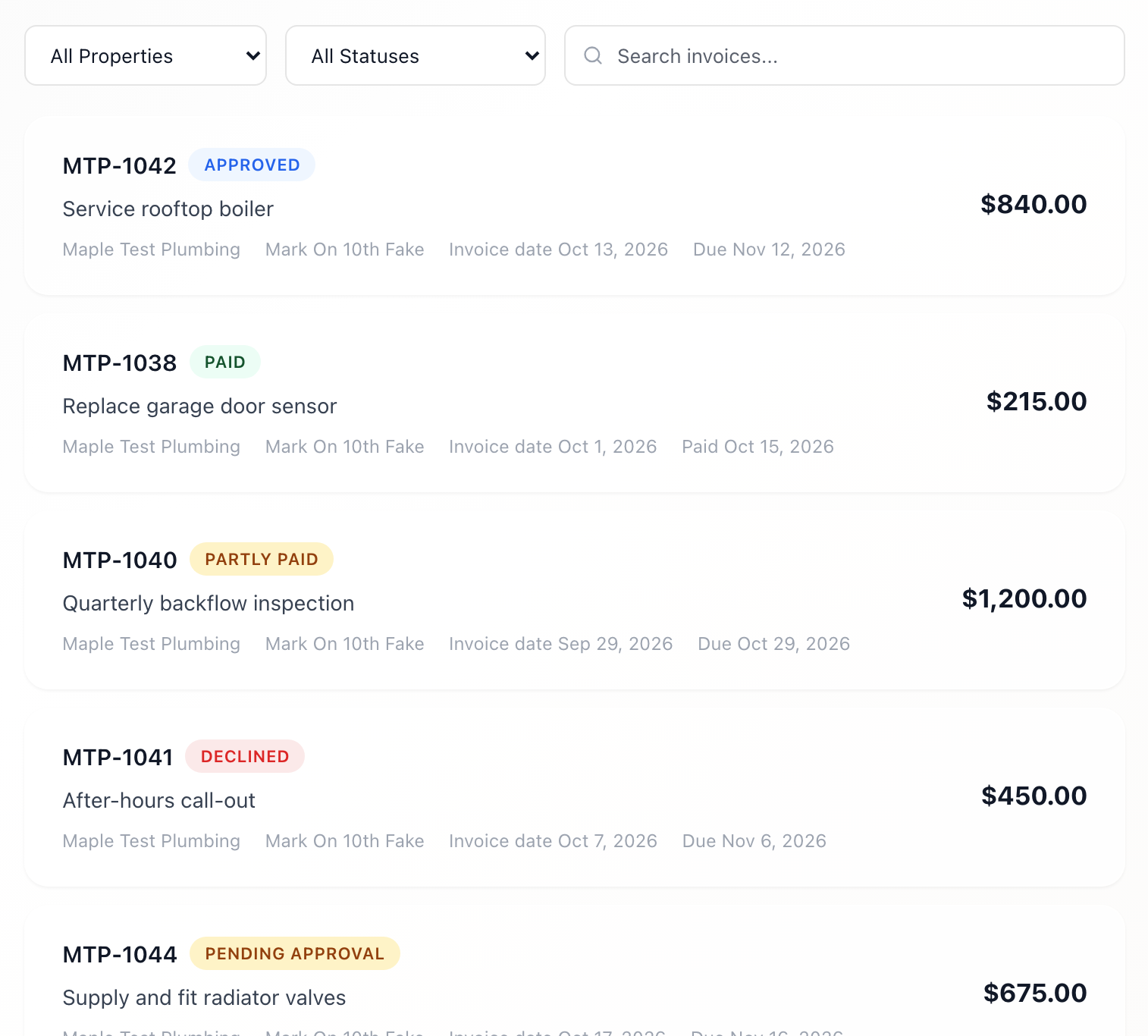
The Invoices tab lists every invoice you have sent. Three tools help you find one.
The three tools
- All Properties: choose one property to see only its invoices.
- All Statuses: choose one status, such as Pending Approval, Partly paid, Paid, or Declined. See "Invoice statuses."
- Search invoices...: type part of an invoice number, the description, your company name, or the property name. The list narrows as you type.
You can use them together. For example, choose Paid and a property to see what that property has paid you.
The tiles change too
The four tiles at the top follow the property, status, and company you pick. They do not change when you type in the search box. See "The Outstanding total and invoice tiles."
If nothing shows
- You don't have any invoices yet. A button, View Service Tickets, takes you to your jobs so you can send one (see "Apply an invoice from a job").
- No invoices match your filters. Set the menus back to All Properties and All Statuses, and empty the search box.
If the list does not load
You see "Could not load invoices," followed by a reason. Check your connection and open the tab again.
More than one company
Choose a company in the Vendor box to see its invoices alone (see "Work for more than one company").