


How to create an invoice from a unit
You can bill a unit directly from its Accounting tab. The invoice opens already filled in for that unit and its account holder, and it can pull in charges that have not been invoiced yet. Who can use...
Last updated
You can bill a unit directly from its Accounting tab. The invoice opens already filled in for that unit and its account holder, and it can pull in charges that have not been invoiced yet.
Who can use it: Staff, property managers and board members with the Invoices permission for the property.
Where to find it: Building > Units, open the unit, Accounting > Invoices.
Create the invoice
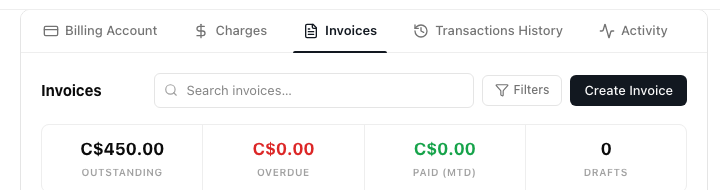
- Open the Invoices tab and click Create Invoice.
The Invoices tab with the Create Invoice button.
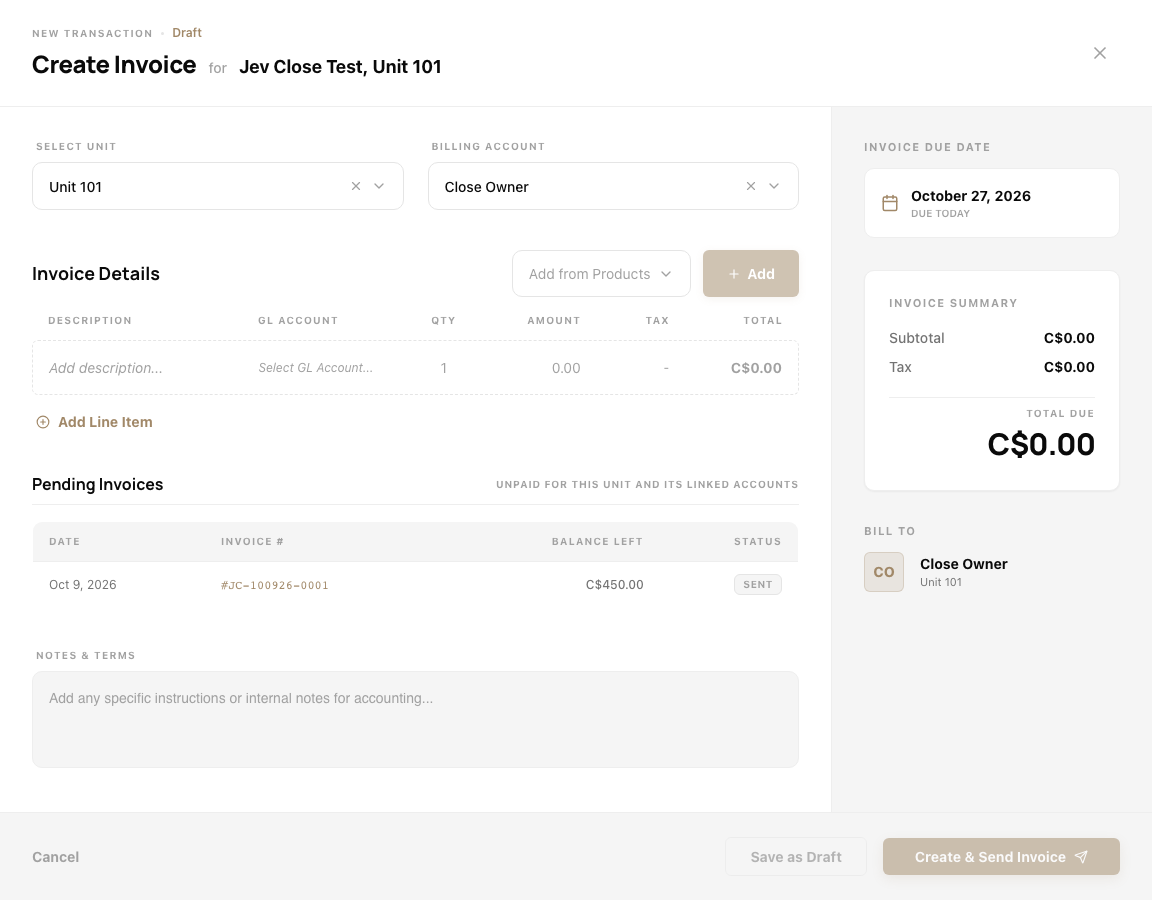
- The drawer opens as Create Invoice for the property and unit. Select unit is the unit you came from, and Billing account is filled with the unit's primary account holder, who also shows under Bill To on the right. You can pick a different billing account.
- Under Invoice Details, add what to bill. Click Add Line Item for a line of your own, with a description, GL account, quantity and amount, or use Add from Products to pick a product.
- If the unit has charges that are not on an invoice yet, they are listed under Unbilled charges. Charges with a tick go on this invoice. Untick any you want to leave off.
Charges that are not on an invoice yet, ready to be added.

- Check Invoice due date and Invoice Summary on the right. Pending Invoices shows what is already unpaid for the unit and its linked accounts, so you do not bill the same thing twice. Add anything for the account holder under Notes & Terms.
The Create Invoice drawer for a unit.
- Choose how to finish:
- Save as Draft keeps it unsent. A draft shows as a draft in the list and its menu offers Edit, Send Invoice, Download PDF and Delete.
- Create & Send Invoice issues it and sends it to the Bill To contact.
Both buttons stay unavailable until the invoice has a line or a ticked charge.
Delete a draft invoice
In the Invoices list, open the menu on the draft and choose Delete. The box says "Permanently delete draft invoice" and the invoice number, "This cannot be undone". Click Delete to confirm.
Cancel an invoice that was sent
Use Void from the invoice's menu. Voiding also voids the charges on it, see How to void or delete a charge on a unit.