


How to edit a repeating charge
You can change what a repeating charge bills and when. Most edits are simple. The two that need care are changing the frequency or the start date, because they affect when the next charge is created....
Last updated
You can change what a repeating charge bills and when. Most edits are simple. The two that need care are changing the frequency or the start date, because they affect when the next charge is created.
Who can use it: Staff, property managers and board members with Manage charges for the property.
Where to find it: Building > Units, open the unit, Accounting > Charges, then Edit on the schedule under Recurring schedules.
Edit the schedule
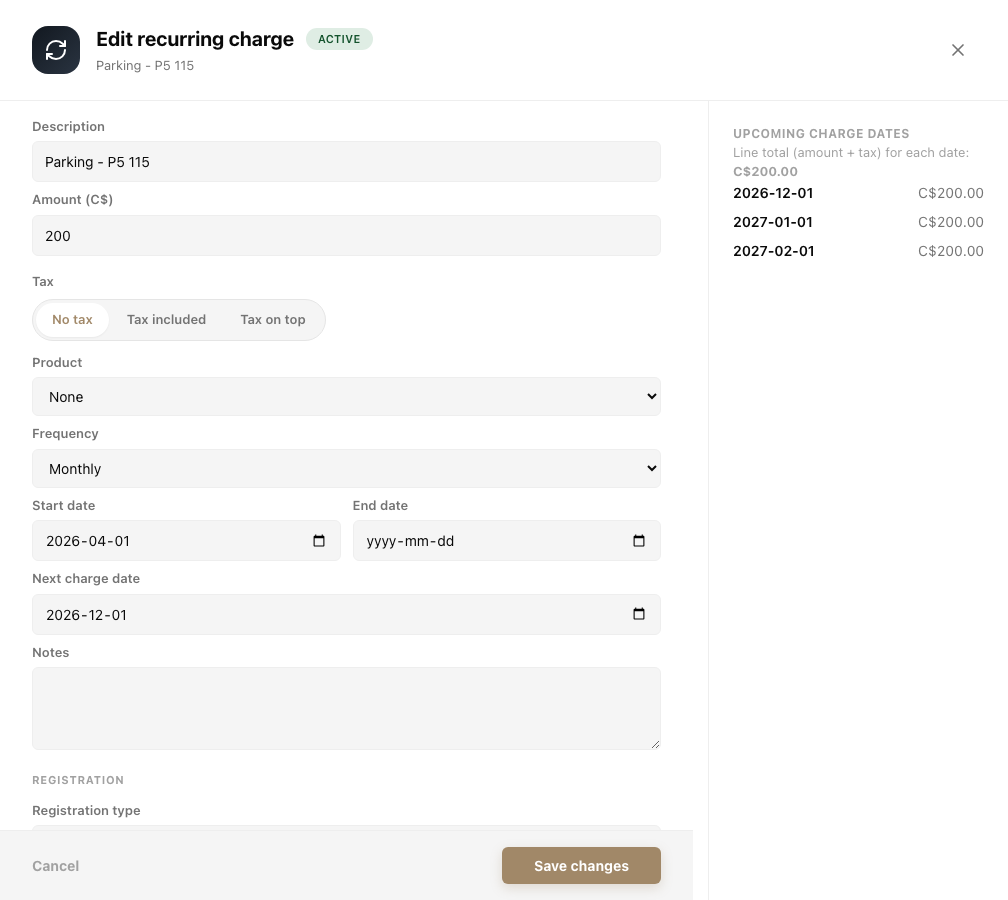
- Click Edit on the schedule. The Edit recurring charge drawer opens. On the right, Upcoming charge dates lists the next dates with the amount for each.
- Change the Description, Amount, Tax, Frequency (Monthly, Quarterly, Semi-annual, Annual, Biweekly or Weekly), Start date, End date or Notes.
- Click Save changes, or Cancel to leave everything as it was.
The Edit recurring charge drawer.
Change the frequency or the start date
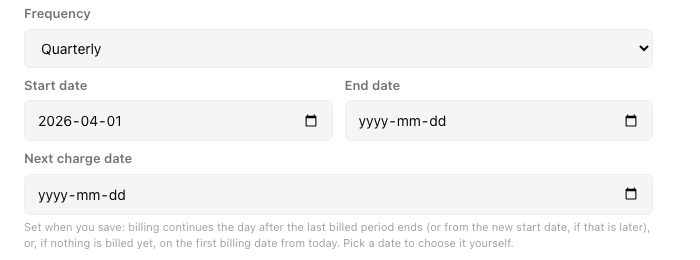
When you change Frequency or Start date, the Next charge date field empties and a note appears under it: "Set when you save: billing continues the day after the last billed period ends (or from the new start date, if that is later), or, if nothing is billed yet, on the first billing date from today. Pick a date to choose it yourself."
So you have two choices:
- Leave it empty. The date is worked out when you save, as the note says.
- Pick a date. Your date is used, and Upcoming charge dates updates to match.
Changing the frequency clears Next charge date and shows the note.
A repeat that has already billed keeps its billing day
Once a repeating charge has billed anything, moving its start date never moves the day of the month it bills on. For example, a monthly charge that bills on the 1st has billed October. You move its start date to October 15. The next charge is still November 1, for November only, then December 1. Nothing is left unbilled and no charge is a part month.
A repeat that has not billed anything yet starts from its new start date.
Lease cycle on a repeat that has already billed
If you open a charge made by a repeat, its Recurring charge section lets you pick Lease cycle (bills on the lease's billing day) or Fixed day each month.
The Recurring charge section with Lease cycle chosen.
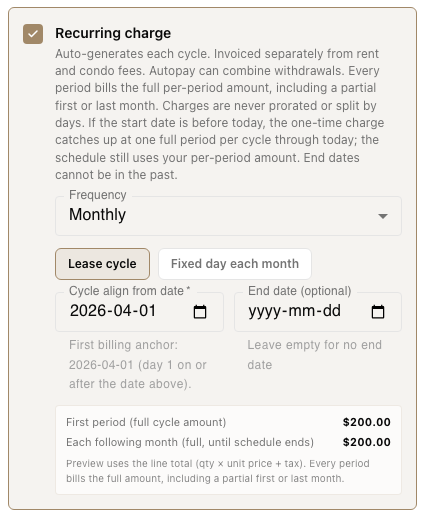
- On a repeat that has not billed, the line under Cycle align from date reads "First billing anchor:" with the date it will start.
- On a repeat that has already billed, it reads: "This repeat has already billed, so it keeps billing on day 1 of each month (next charge Nov 1, 2026). To bill on the lease's day 15 instead, end this repeat and add a new repeating charge." The day and the date are the ones for your schedule. Choosing Lease cycle does not move the day.
To move a billed repeat to the lease's billing day, end it (see How to stop or end a repeating charge) and add a new repeating charge.
If the start date is empty
With Recurring charge on, an empty start date is refused and nothing is saved. In Lease cycle the message is "Set the cycle align-from date for the billing schedule." In the other modes it is "Start date is required for recurring charges". Fill in the date and save again. See Troubleshooting the unit Accounting tab.