


How to filter Collections
The Collections page now opens on one property, several, or All, and you can narrow the accounts that owe money with the same filter bar used across accounting. Who can use it: Staff, property...
Last updated
The Collections page now opens on one property, several, or All, and you can narrow the accounts that owe money with the same filter bar used across accounting.
Who can use it: Staff, property managers and board members with access to the accounting dashboard for the properties in view.
Where to find it: Go to Accounting and select the Past Due card on the dashboard. The Collections page has two tabs, Overview and Activity Log.
Filter the Overview
- Click into the bar above the tiles and click Filter.
The Collections filter list.
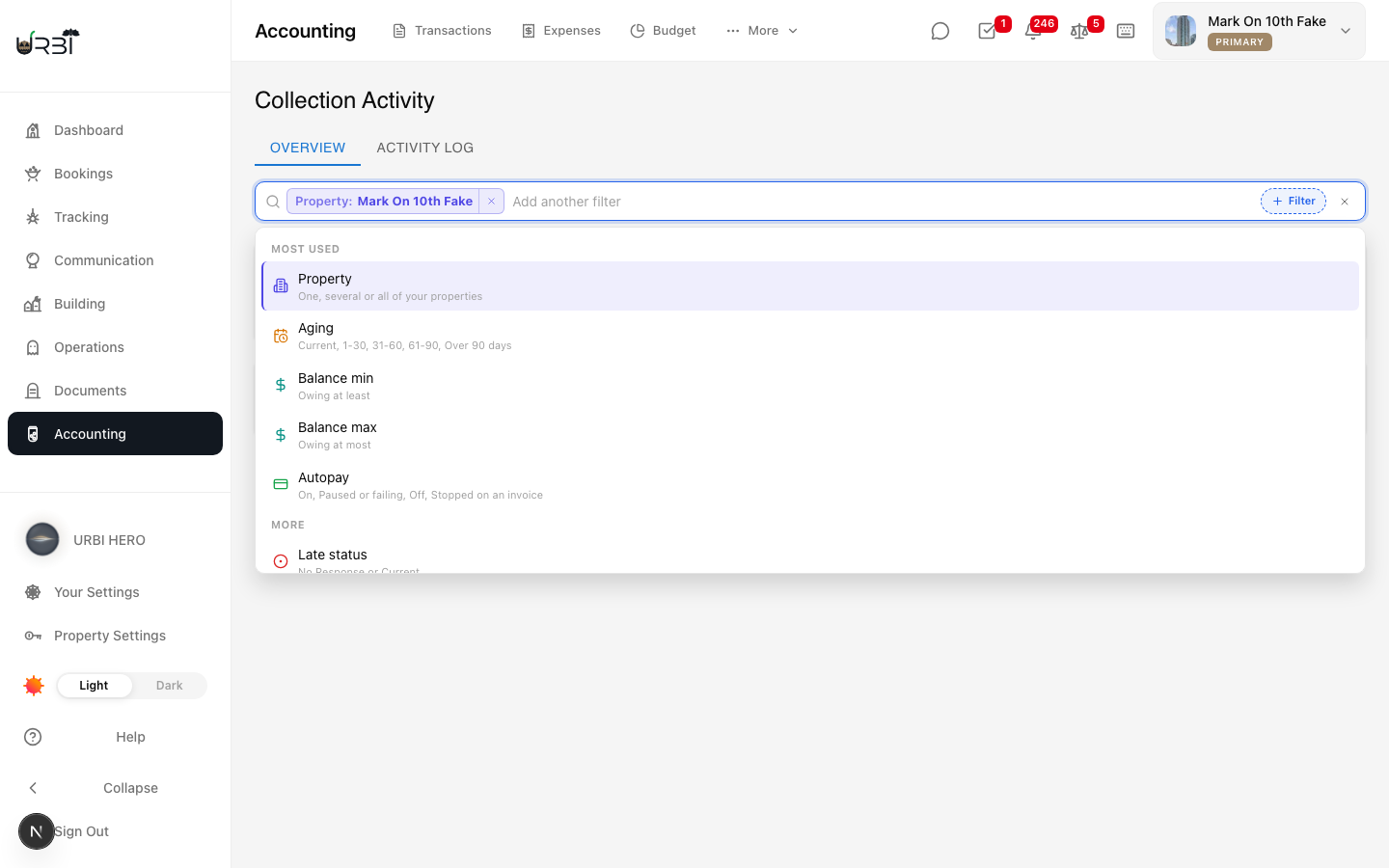
- Pick Property to look at one, several, or All properties. With more than one property in view, the list gains a Property column.
- Add any of these:
- Aging: Current, 1 to 30, 31 to 60, 61 to 90, or Over 90 days.
- Balance min and Balance max: how much is owing.
- Autopay: On, Paused or failing, Off, or Stopped on an invoice.
- Late status: No Response or Current.
- Last contact: never contacted, or not contacted in the last 7, 30 or 60 days.
- Last payment: no payment recorded, or none in the last 30, 60 or 90 days.
- Unit: one or more units, grouped by property. Units are offered only once you have chosen properties, not under All.
- Plain text searches accounts.
- The tiles (Total Outstanding, Total Past Due, Accounts Past Due) add up exactly the rows you are filtering and show Filtered while a filter is on. When your properties use different currencies, each tile shows a line per currency.
- The list loads more rows as you scroll, and the tiles always cover the full filtered list, not only the rows loaded.
- Charges not yet invoiced appears once per property, and only while property or aging filters are the only ones active.
The Activity Log tab
- Click Activity Log. The bar stays, with the Property filter. Filters that only apply to accounts owing money (Aging, Balance, Autopay, Late status, Last contact, Last payment) are hidden on this tab, and a notice says which ones. They are kept, not removed: go back to Overview and they return.
The Activity Log keeps the Property filter and tells you which filters are hidden here.
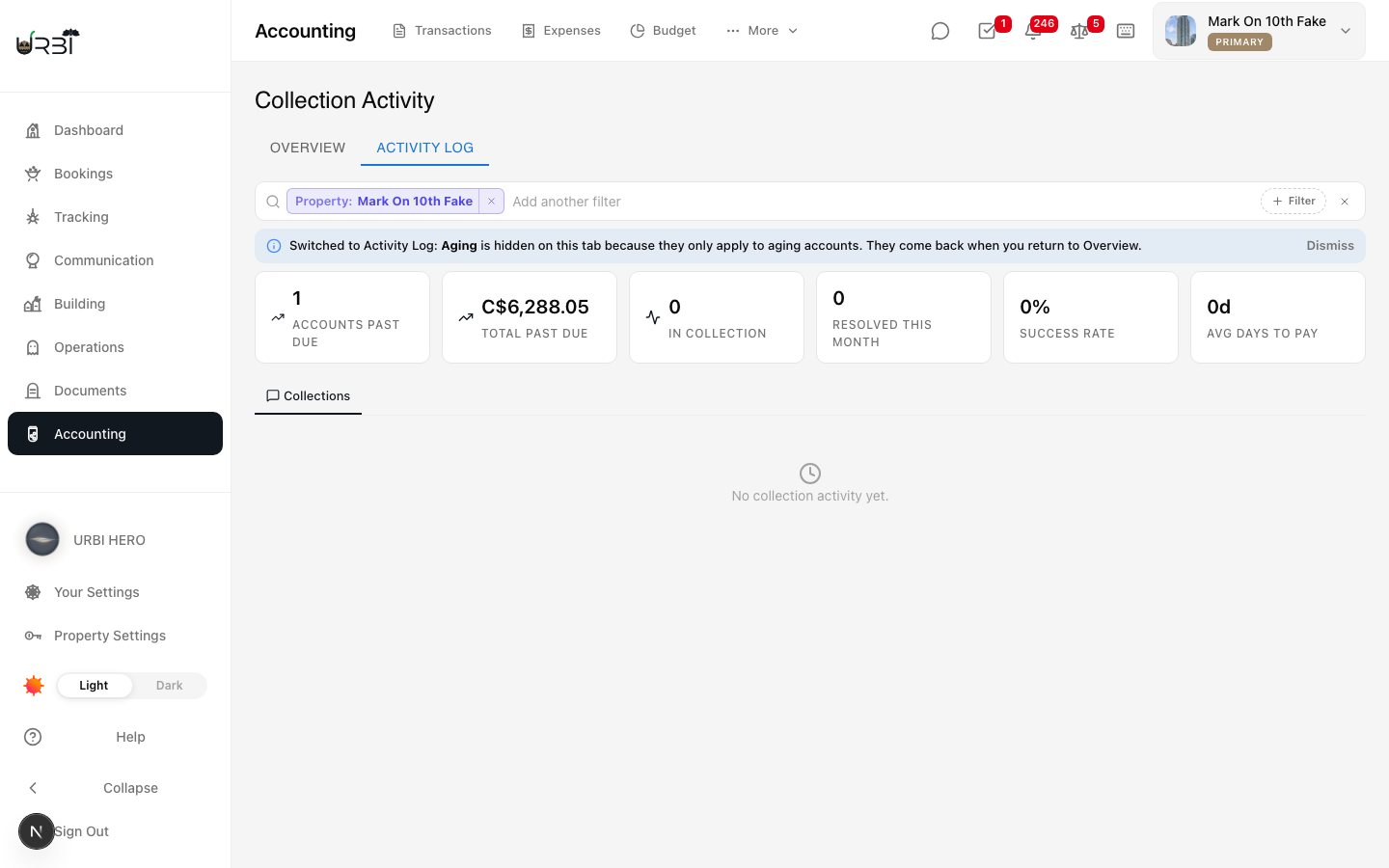
- Clear all on the Activity Log clears the search text and resets the properties to All properties. It leaves the hidden Overview filters as they were.
Share the view
- Copy the page link. It carries your properties and filters. See Choosing properties and reading totals.