


How to Request Tax Info from a Vendor
Instead of collecting a vendor's tax number by phone or email, you can send the vendor a private link where they enter their tax details themselves. You review what they send, then accept it or send...
Last updated
Instead of collecting a vendor's tax number by phone or email, you can send the vendor a private link where they enter their tax details themselves. You review what they send, then accept it or send it back with a note.
Send the request
Open the vendor from Operations, then Vendors.
Open the Tax reporting tab on the vendor and select Request from vendor. A panel titled Request tax info opens. If you are asking again later, the same panel is titled Send a new link.
Check the Send to field. It is filled in for you from the vendor's record, and the line under it says where the address came from:
- "From
, a contact on the vendor record." when the address comes from a contact. - "From the vendor record." when it is the vendor's own email address.
- "No email on file for this vendor. Enter the address to send to." when there is none. Type one in.
You can replace the address with any other. If you type one that is not a valid email address, you see "Enter a valid email address."
- "From
Select Send request (or Send a new link if you are resending).
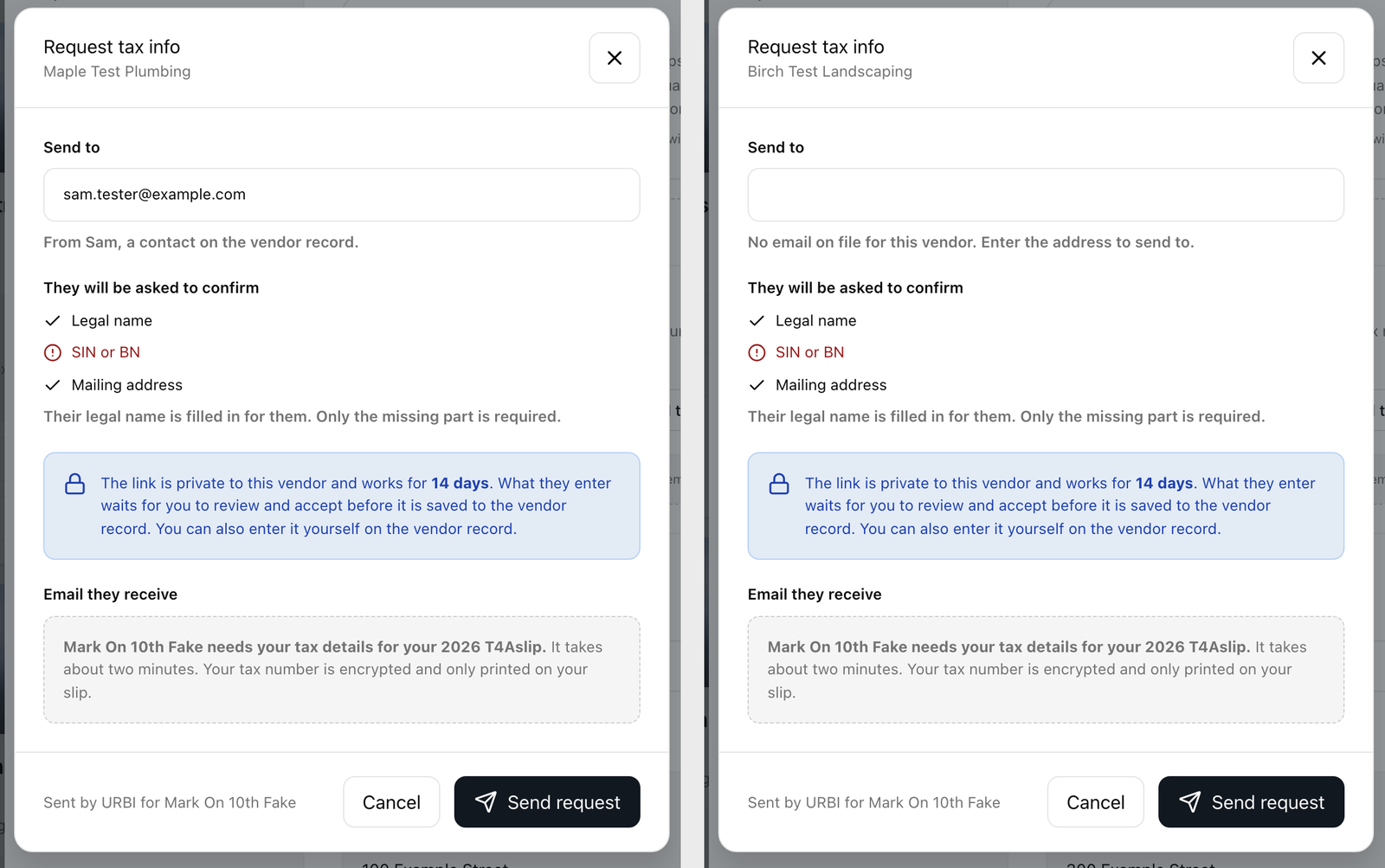
The vendor gets an email titled "
Review what the vendor sends
When the vendor submits, their details appear on the vendor under Submitted tax details, waiting for you. You have two choices:
- Accept and save saves the details to the vendor's record.
- Send back with a note returns the request. A box titled Note to the vendor (optional) opens. Write what to fix, for example "The number on your slip does not match your company name", or leave it blank. Then select Send back.
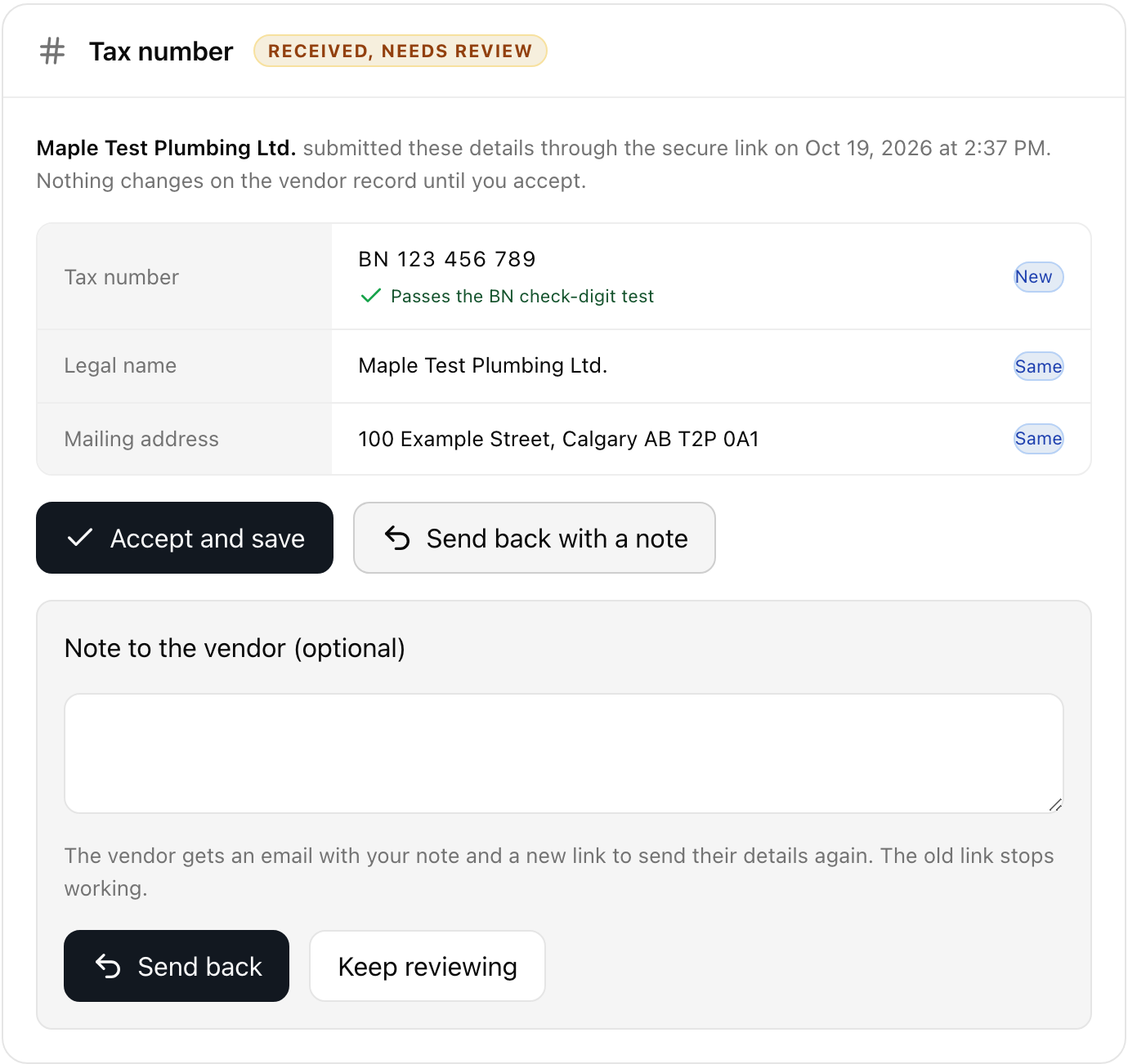
When you send a request back, the vendor receives an email titled "
Good to know
- If the vendor lost the email or the link expired, use Send a new link to send a fresh one.
- The email goes to the address in Send to. It does not have to be a contact who can sign in to the Vendor Portal, but a contact's address is the best choice because it is monitored.