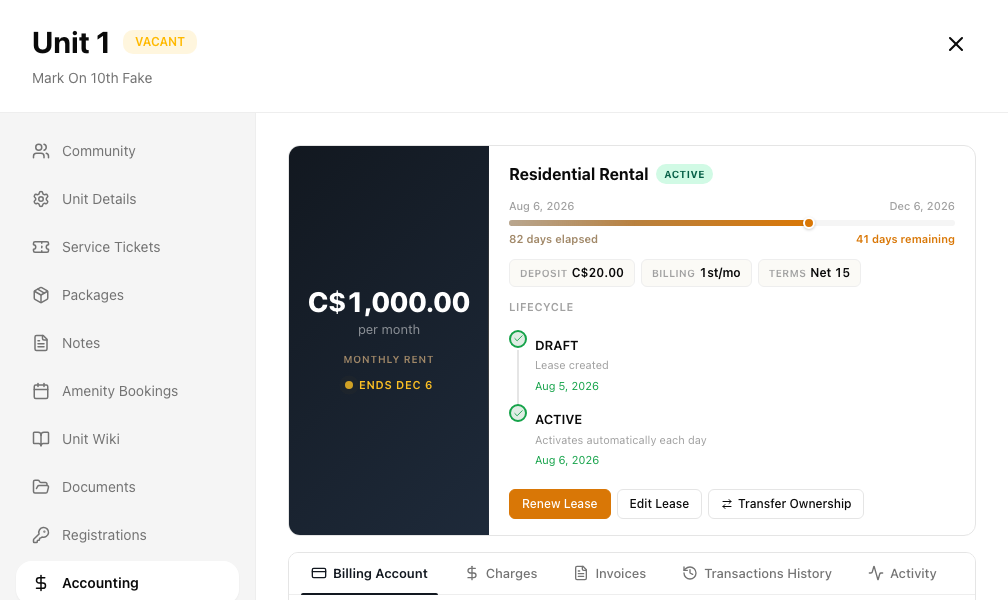
The unit Accounting tab
Every unit has an Accounting tab. It shows what the unit owes and everything that has happened on its account, and it is where you add or void a charge, stop a repeating charge and create an invoice....
Last updated
Every unit has an Accounting tab. It shows what the unit owes and everything that has happened on its account, and it is where you add or void a charge, stop a repeating charge and create an invoice.
Who can use it: Staff, property managers and board members who are members of the property. Your permissions on the permissions screen decide the rest: View unit details to open a unit, Manage charges for charges, Invoices for invoices and General Ledger access for balance and paid totals.
Where to find it: Go to Building > Units, open the unit, then choose Accounting. It has five sub-tabs: Billing Account, Charges, Invoices, Transactions History and Activity.
The Accounting tab and its sub-tabs.
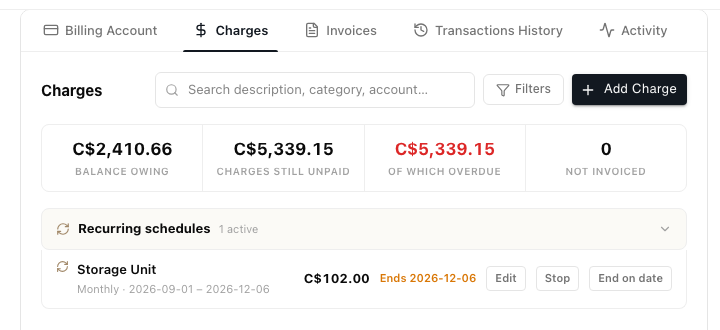
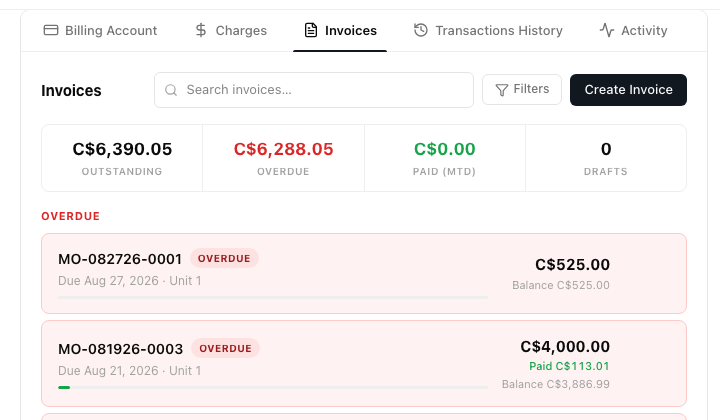
Charges and Invoices
Each opens with summary figures above its list.
Transactions History
Four cards sit at the top. Balance owing comes from the ledger, so it matches accounting.
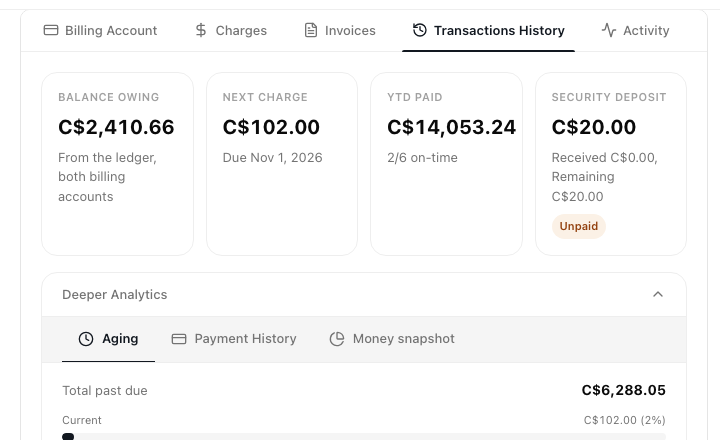
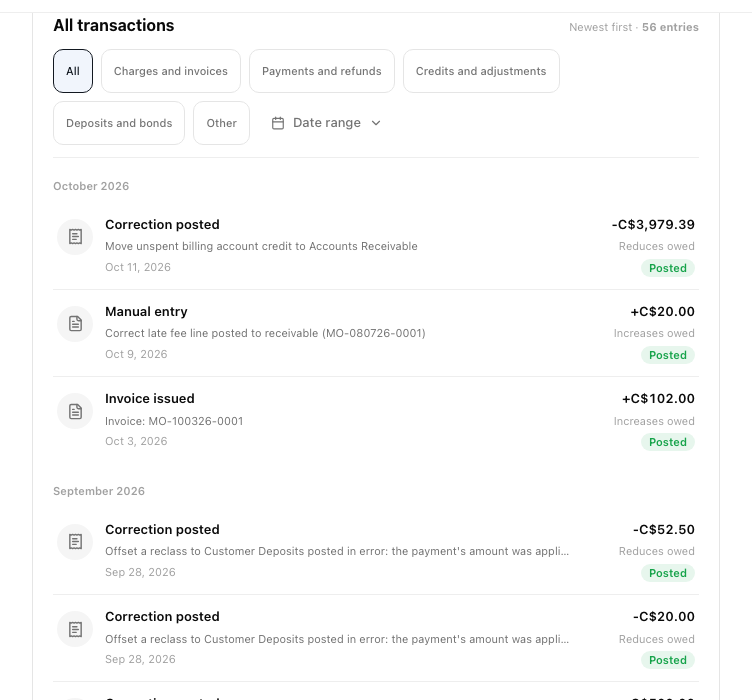
Below them is every ledger entry, newest first. Each row says whether it Increases owed or Reduces owed, and voided entries are marked. Click a row to open its invoice, charge or journal entry. Narrow the list with the type buttons or Date range.